 TITANIUM COMPUTING
(512) 623-9199
Free consultation
TITANIUM COMPUTING
(512) 623-9199
Free consultation
SERVICES · CLOUD & VIRTUALIZATION
Cloud Computing & Virtualization in Austin, TX
Microsoft 365, Azure, and private cloud, engineered for what your business actually runs. We migrate, manage, and right-size so the monthly bill matches the workload, not the vendor’s wish list.
What Do We Run in the Cloud?
Microsoft 365 & Azure
Tenant hardening, license right-sizing, and identity management. Most businesses overpay 20% on licenses alone.
Server Virtualization
On-prem servers consolidated onto virtual hosts, or retired to the cloud entirely. Fewer boxes, fewer failure points.
Workload Placement
Some workloads belong on-prem, some in Azure, some in private cloud. We place by latency, cost, and compliance, not fashion.

Hybrid Networking
Site-to-cloud VPN, SD-WAN, and failover circuits so the cloud feels like the next room, not the next state.
How Does a Migration Actually Run?
Parallel builds and scheduled cutovers. Your staff should notice new capabilities, not downtime.
Cloud, On-Prem, or Hybrid: How Do You Decide?
By workload, not by fashion. Email, files, and collaboration belong in Microsoft 365 or Google Workspace for almost everyone. Line-of-business apps with big local datasets often run best on a virtualized host or a Synology NAS on your own network. Compliance scopes sometimes pin data to specific regions or on-prem entirely.
The honest answer for most Central Texas businesses is hybrid: SaaS for productivity, local storage for heavy data, and a FortiGate-secured tunnel making it all feel like one network. We place each workload by latency, cost, and compliance, and we show the math.
What Runs Under the Hood?
Platforms we manage daily, hardware we install ourselves.
Exchange, SharePoint, Teams, and Intune device management, hardened and license-optimized.
Gmail, Drive, and Meet for teams that live in the browser. Fully managed, same SLA.
Business NAS for local file speed, camera storage, and on-site backup targets that sync to the cloud.
Site-to-cloud VPN, SD-WAN, and failover so the cloud feels like the next room.
Managed switching and Wi-Fi engineered for VoIP and video from day one.
Every server and endpoint, physical or virtual, monitored and patched from one console.
CLIENTSYNC PORTAL
Where Do You See All of This?
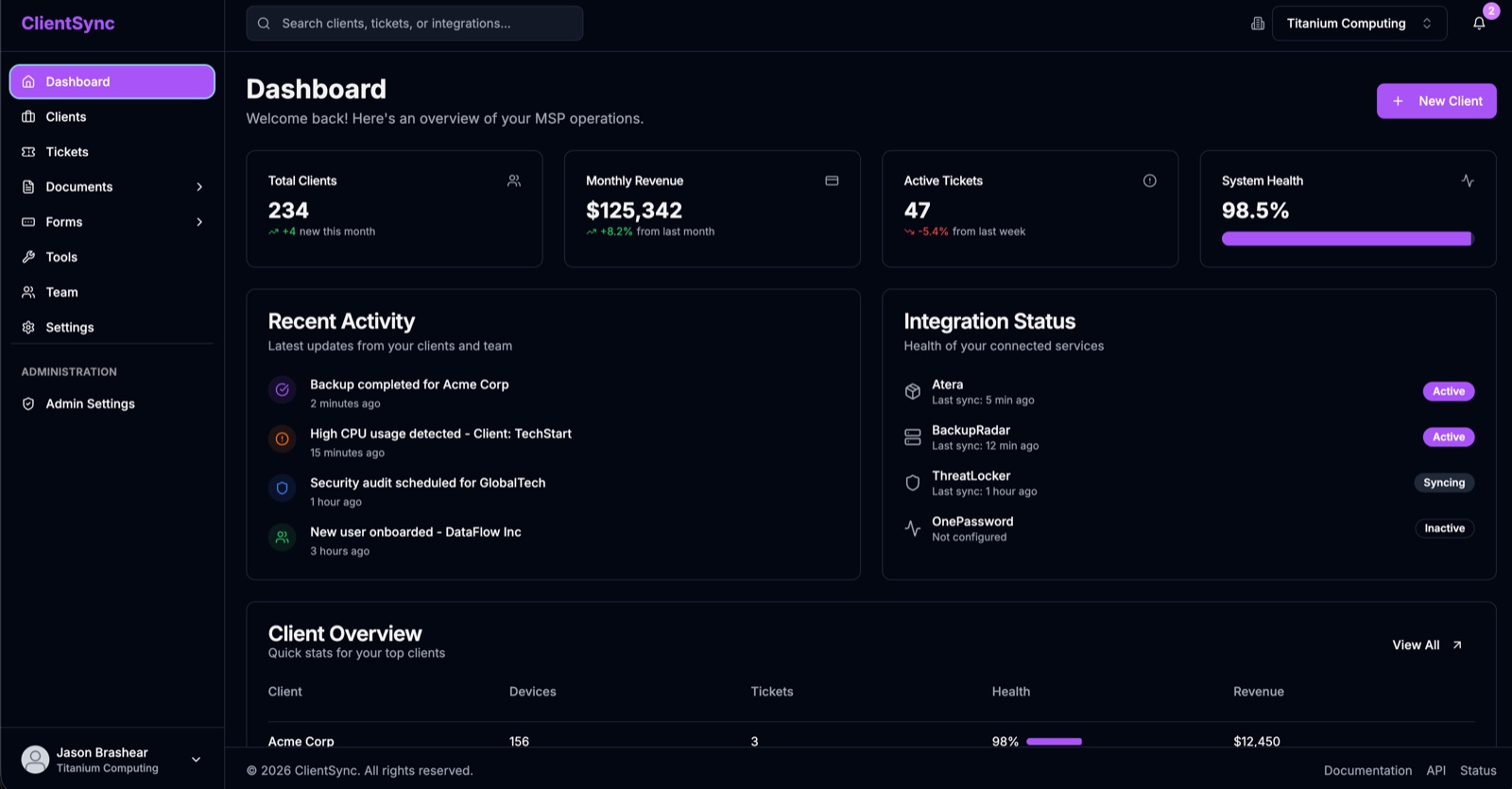
Every client gets their own portal into us through ClientSync. Open and track tickets, browse your asset inventory, pull invoices and reports, and watch backup status live. No emailing us to ask where things stand.
Common Cloud & Virtualization Questions
Will migration interrupt our business?+
No. We stage in parallel, cut over on a scheduled window, and keep rollback ready. Your staff logs in Monday and everything is where it was.
Are we locked into Microsoft?+
No. Microsoft 365 fits most of our clients, but we run Google Workspace and private cloud where they fit better. The recommendation follows the workload.
Can you take over cloud infrastructure someone else built?+
Yes. We audit it, document it, and assume management without a rebuild. Rebuilds only happen when the audit shows they pay for themselves.
Our internet goes down. Does the cloud strategy still work?+
That risk is designed in: failover circuits behind the FortiGate, and hybrid placement so the systems you cannot live without keep running locally.
What does cloud management cost?+
Included in your managed IT tier. Cloud infrastructure bills at provider cost with no markup; we earn on the management, not the resale.
Talk to an Engineer About Cloud & Virtualization
One hour, no obligation. Fixed quote at the end.